
Z31/Cruisecontrolrepairs php
Imported page. This page was converted from an archived copy of "Z31 Cruise Control Troubleshooting" (Xenonzcar, fetched 2026-05-15). The conversion was mechanical, so tables, links and formatting may contain conversion artefacts. Compare against the archived copy if something looks wrong. The content belongs to its original authors.
Z31 Cruise Control Troubleshooting
Once again this is usually an easy fix. The rubber stopper that makes the switch lose contact hardens and brakes. There are several on the pedals.
- WARNING* - Do this modification at your own risk. We Are not responsable for any issues of your own doing.
Parts Needed
- 1x Nissan 46512-H0101 Rubber-STOPPER (manual transmission only)
- 2x Nissan 46584-S0100 Rubber-STOPPER
Tools Needed
- Long needle nosed pliers both straight end and bent end
- Small internal ratcheting wrench 8mm or 10 mm
Cruise Control Troubleshooting
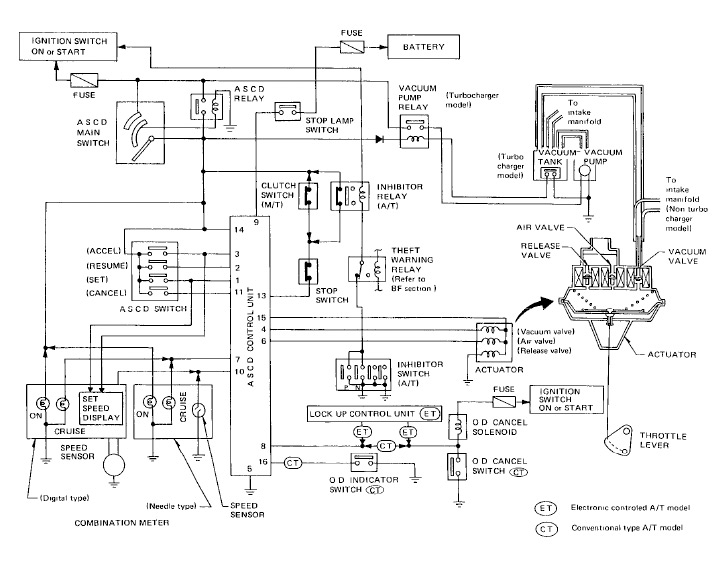
In GLL cars, if the radio has been replaced, check that the steering wheel control receiver under the rear storage compartment has not been removed. If this does not remedy the problem, refer to the FSM section: Electrical > Automatic Speed Control Device (A.S.C.D.)
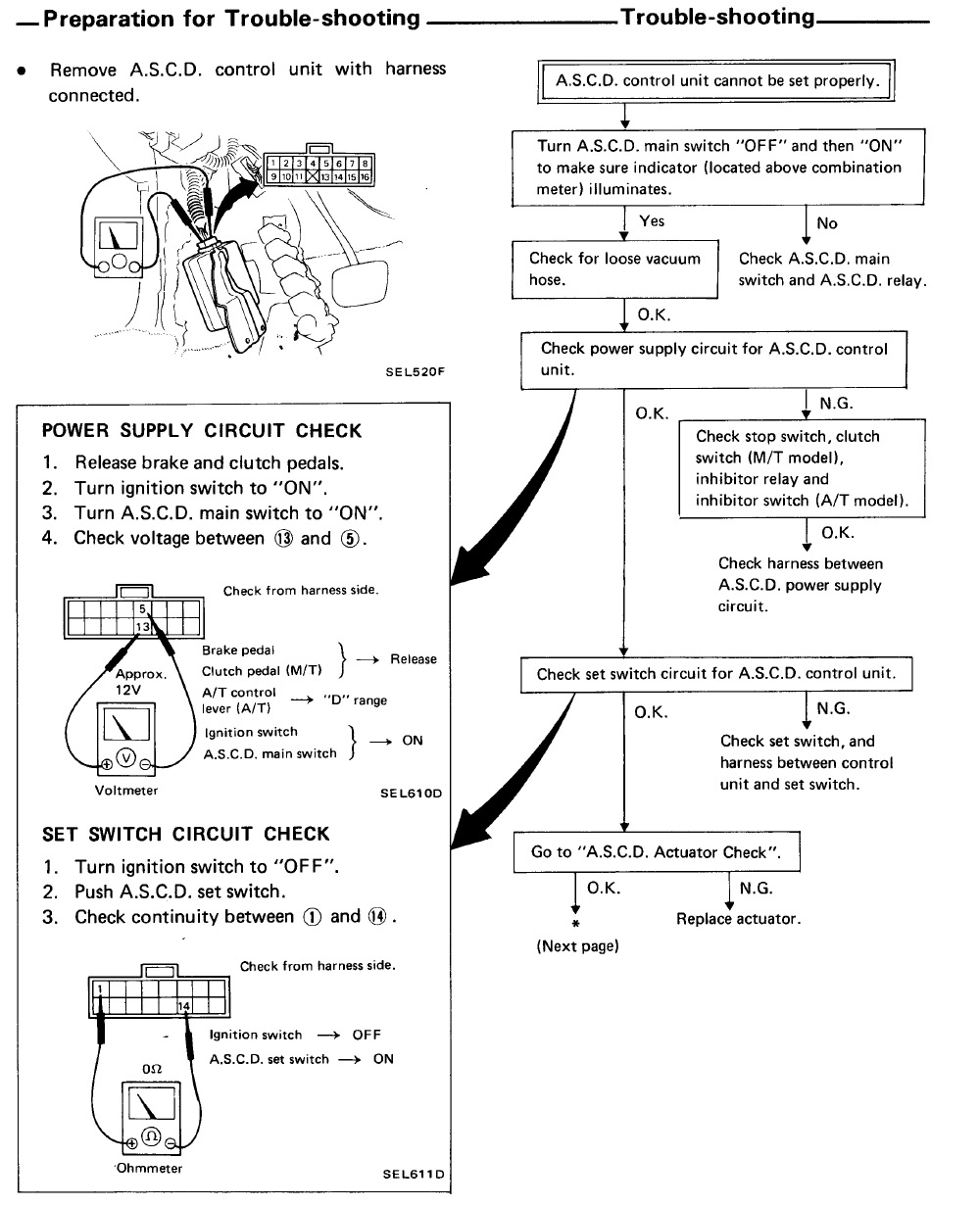
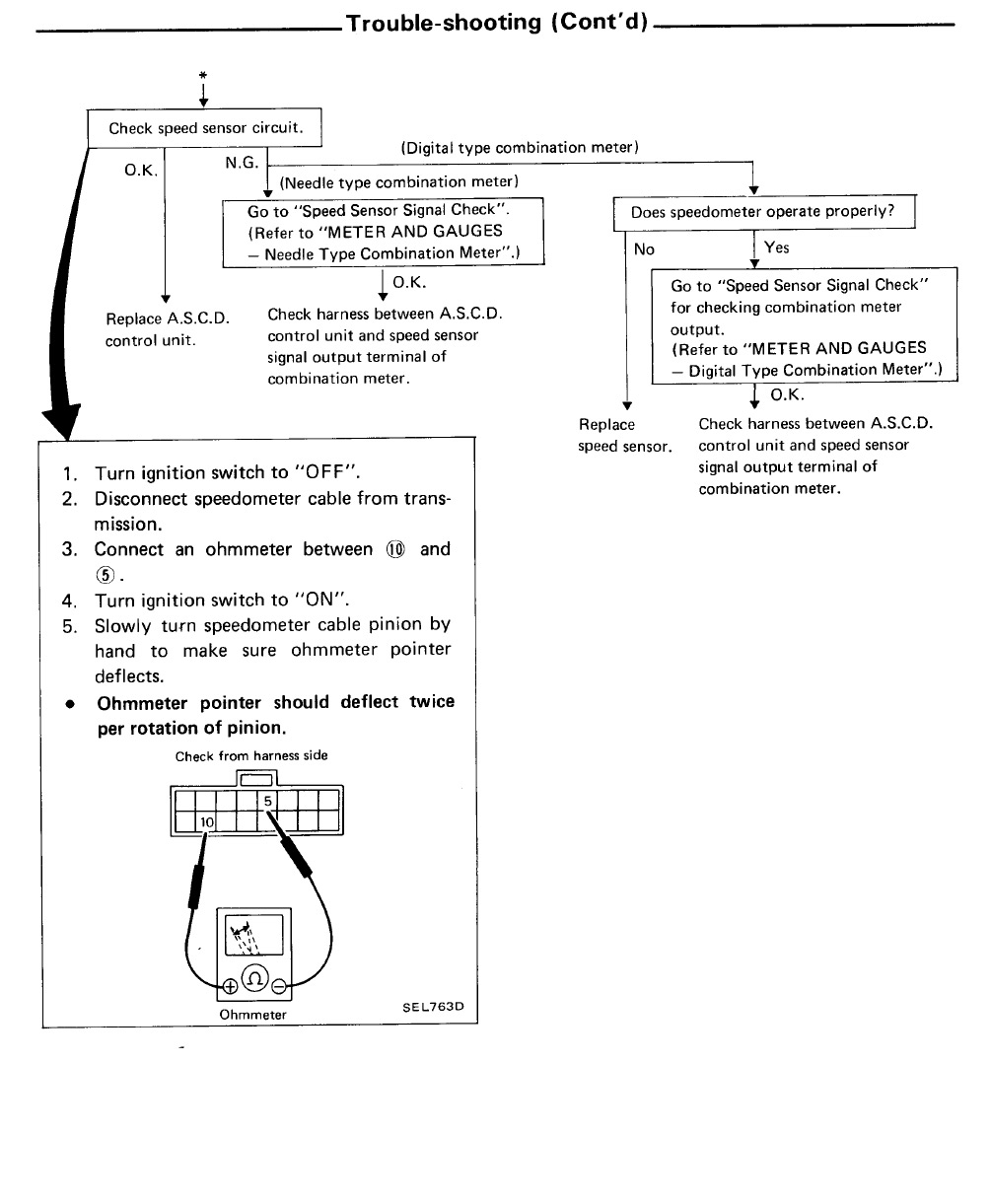
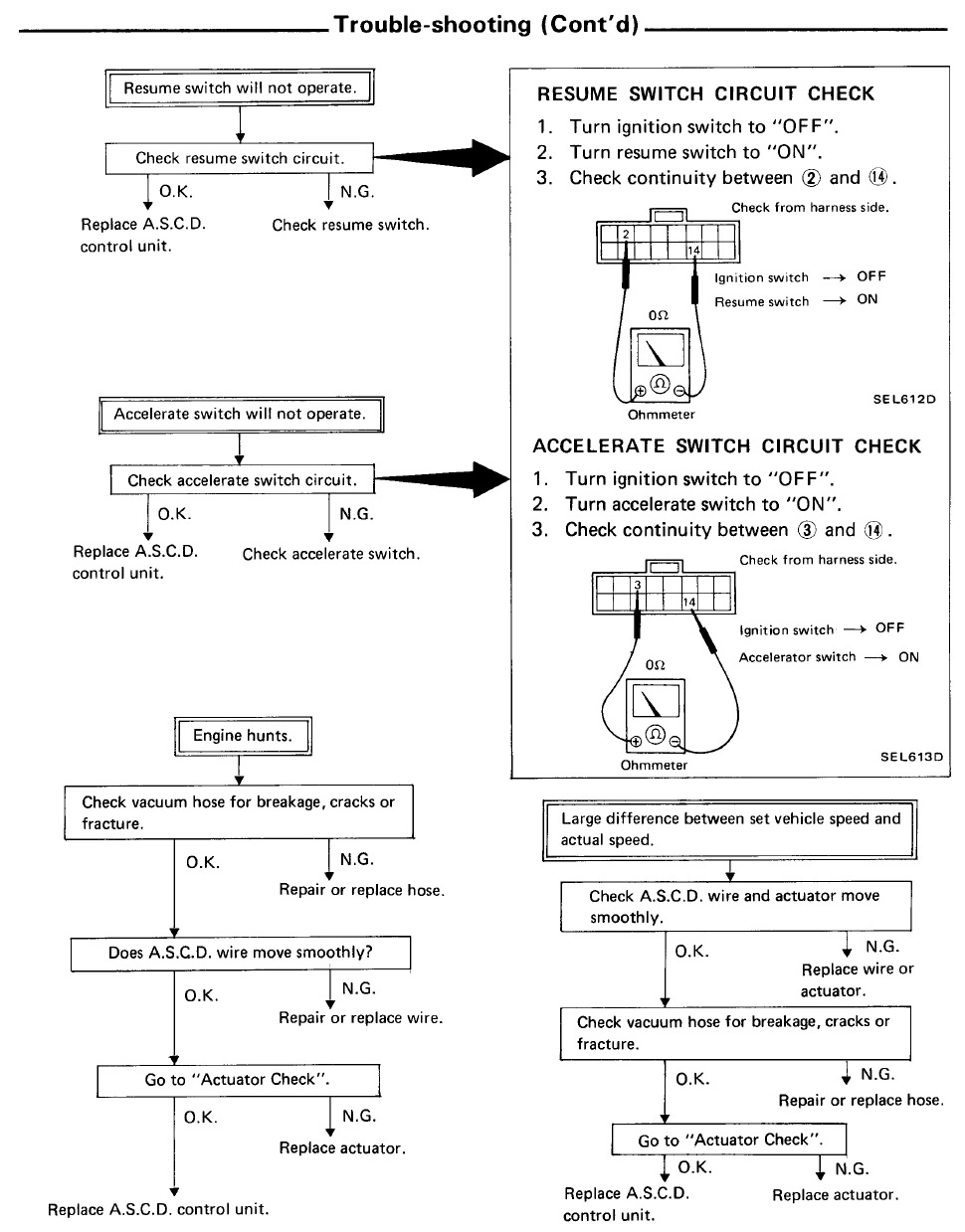
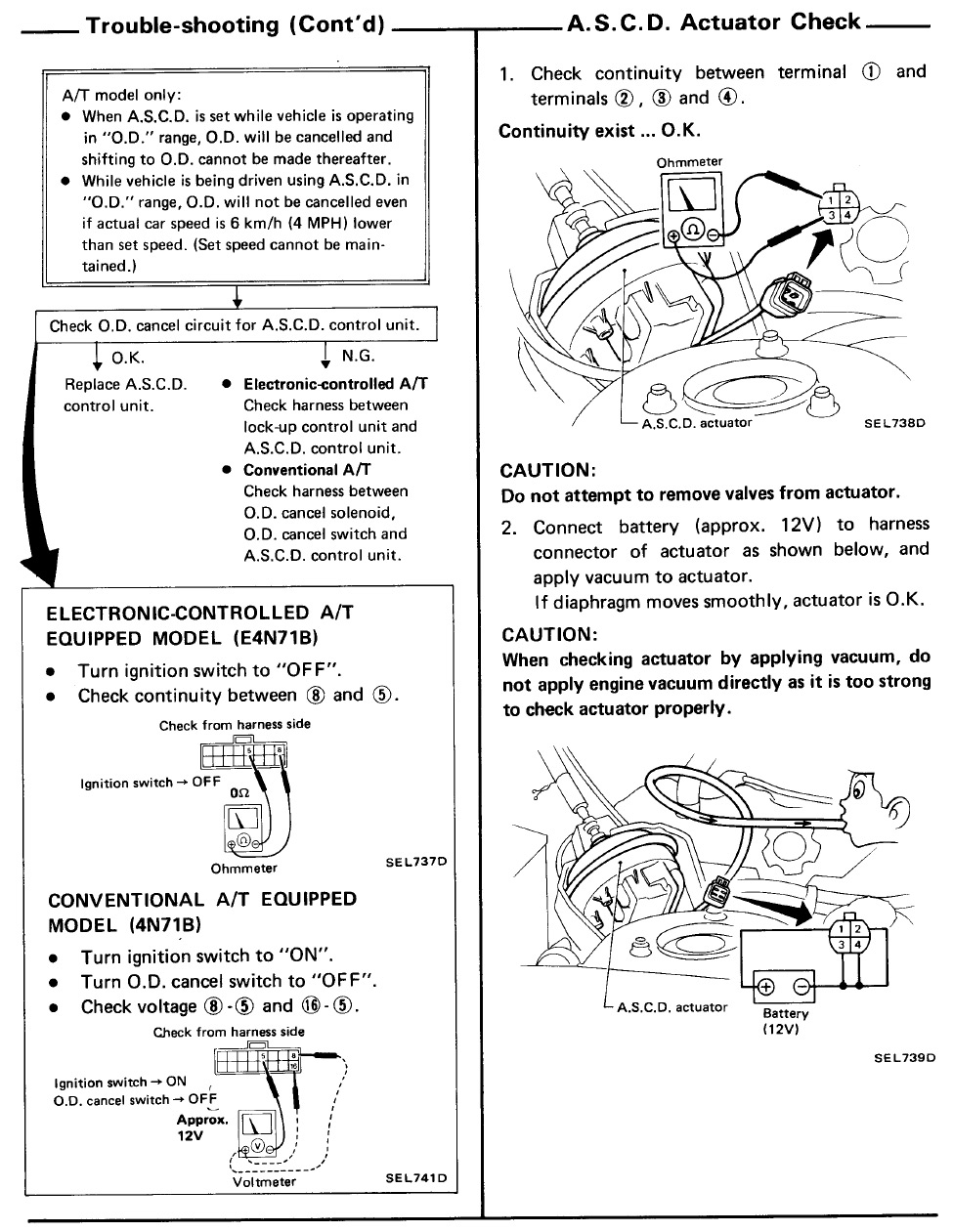
Automatic Speed Control Device Vacuum and Wiring Diagram
Still in other cases the issue is down to Vacuum. The Cruise Control Actuator if fed vacuum from the vacuum canister behind the Right side headlight. If the lines are perished and cracked the vacuum will never reach the actuator and it will not fucntion.
Click images to view larger versions